Tryout mode allows you to view pages that have a status of 'InTesting' so that they can be viewed working in Central.
This mode allows you to view any errors or problems with the layout from the changes that have been made to the inherited page, without it affecting any other users of Central.
To activate tryout mode:
-
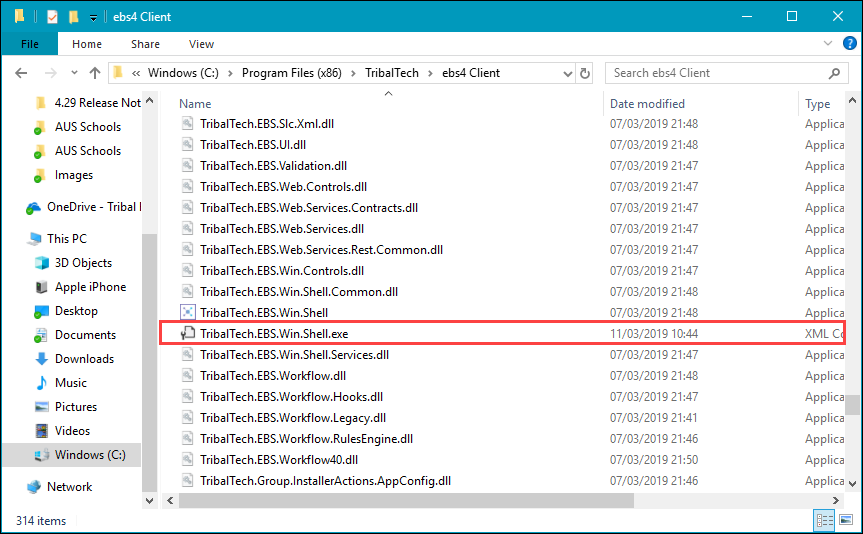
Navigate to the root Central folder in Windows Explorer.
-
Open the TribalTech.EBS.Win.Shell.exe file in Notepad.
-
Search for the following line: <add key="TryoutEnabled" value="False" />
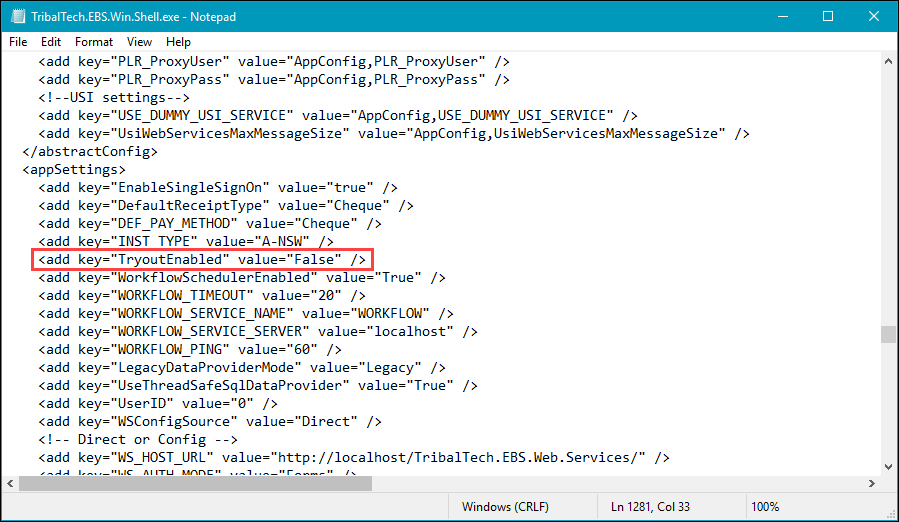
- Edit the line so that it reads: <add key="TryoutEnabled" value="True" />
- Select Save .
- Open Central and open a page that has a status of 'InTesting'. Any changes that have been made will be visible.
To deactivate tryout mode, revert the changes made so that the TryoutEnabled value set to 'False'. Central will need to be restarted to confirm these changes.